ProjectFeatures

A Project is the center for managing time and expense items. Projects have a flexible structure to accommodate various business flows. Accorto manages the Time, Revenue and Cost dimensions of a project in real time.
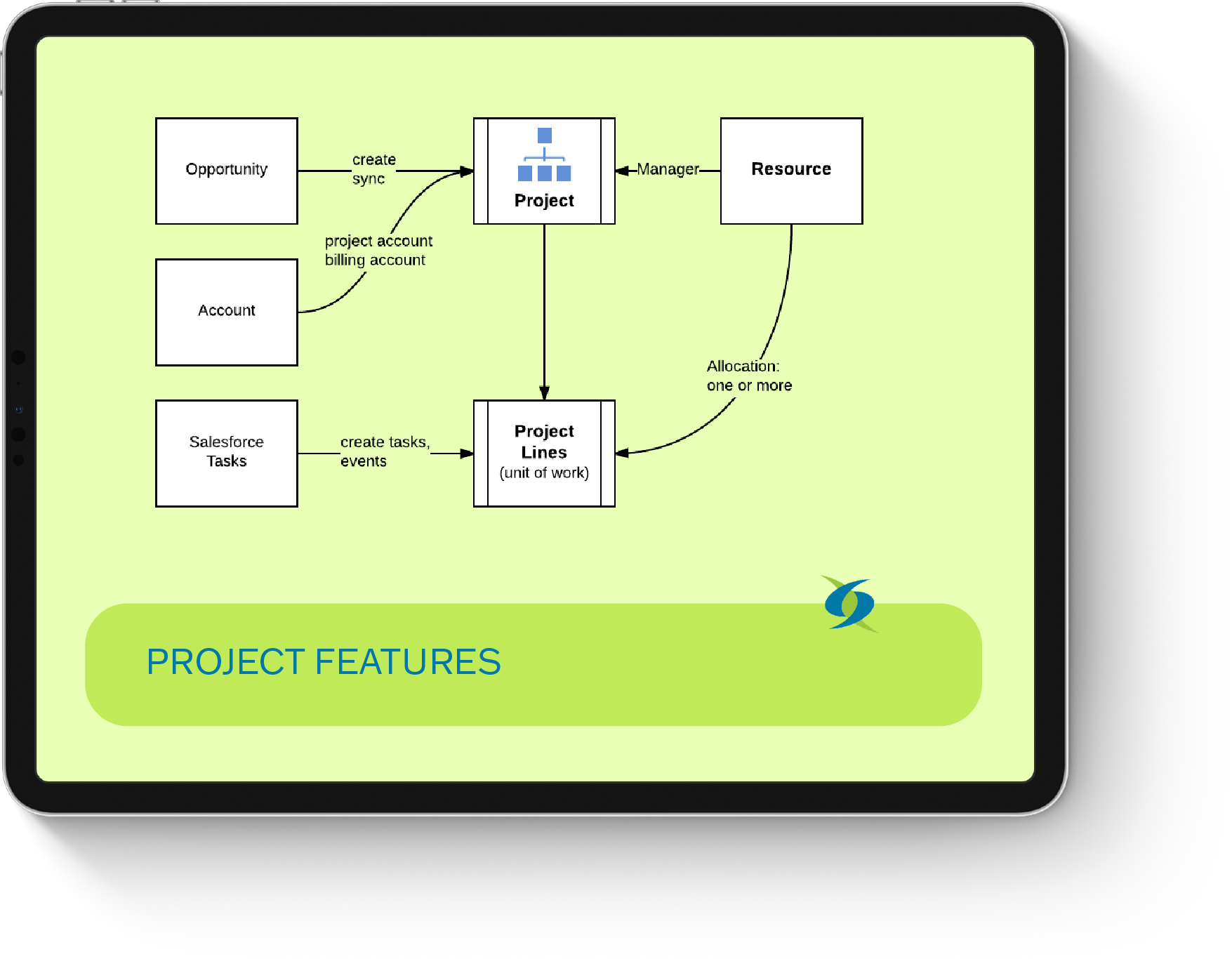
CREATE PROJECTS

Manually
From Salesforce Opportunities and synchronize them later. This provides seamless coordination between Sales (managing Opportunities) and Project Managers.
Create from Templates,(any other Project) for recurring structures and tasks; You can also Copy from Template with or without resources to an existing project.
Managing projects
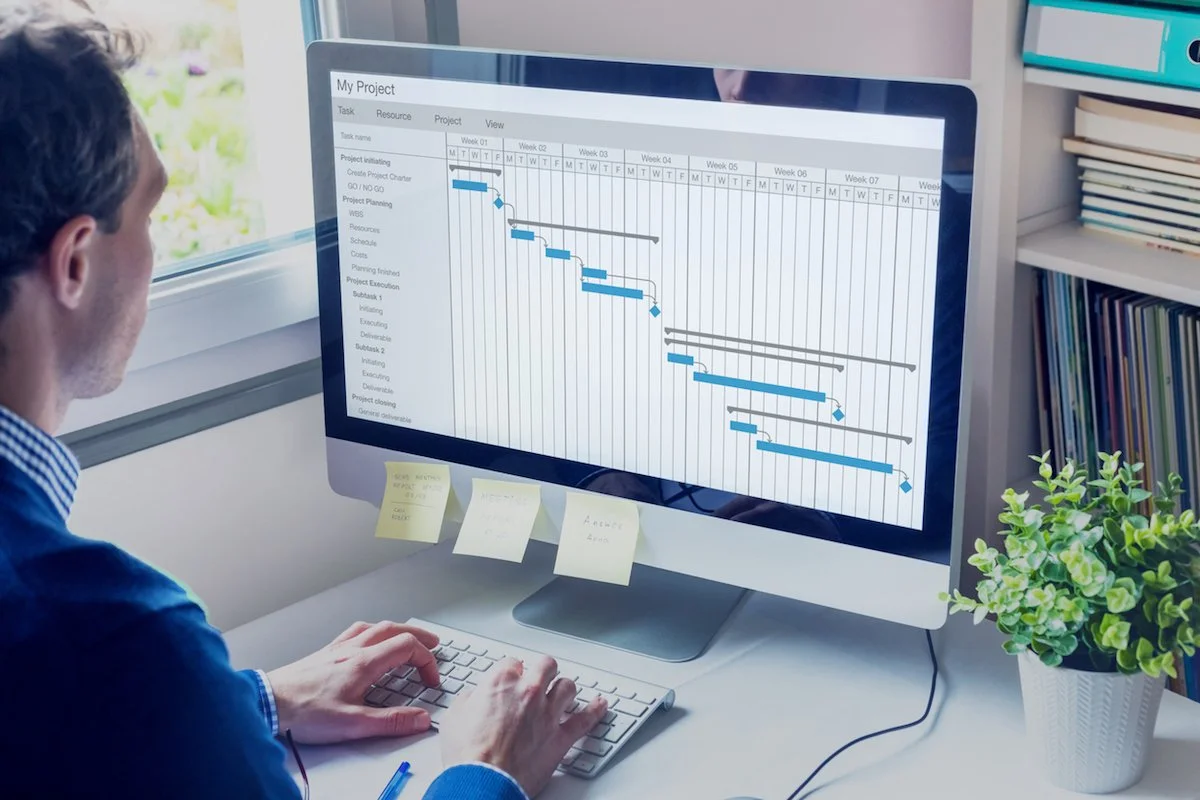
View Projects as Gantt Chart – or as part of the Resource Plan

View Plan, (Billable) Effort, Billing Rate and Amount as well as Costs on Timeline
Allocate Resources to Project Lines
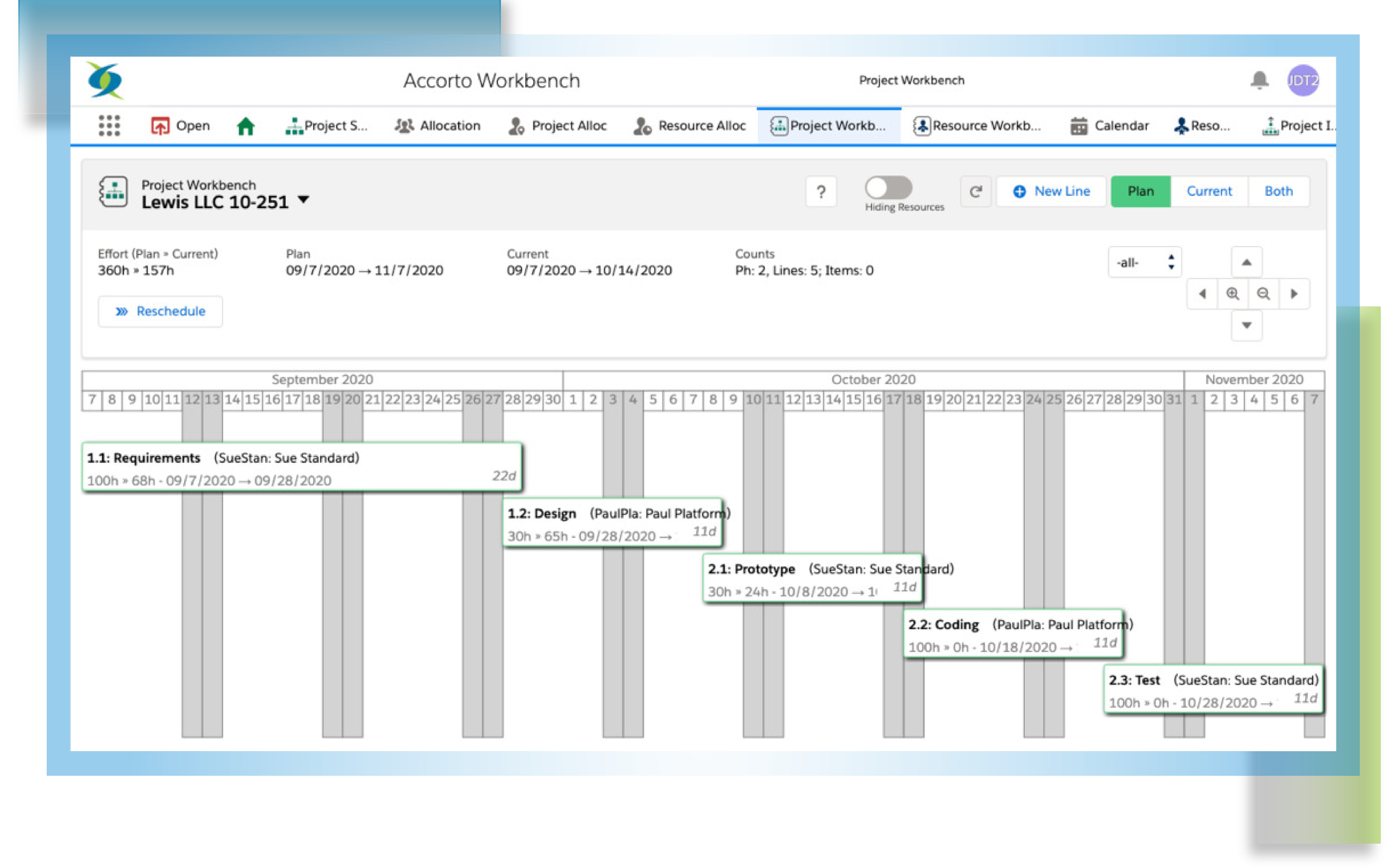


Project Lines (deliverables)
Project Lines manage the actual work and can be billable (Time and Material) or fixed price. The information is rolled up into the Project and optional Project Phases.

Project Lines maintain
Planning Information
Effort, Start/End date
Revenue info, e.g., Average Billing Rate, Fixed Price
Cost info, e.g., Cost Rate, Cost Budget
Actual Information (if time/expense is approved)
Start/End, Billable/Non-Billable Effort and Amount, Invoiced Amount
Current Information (when time/expense items are entered)
Effort, Est, Revenue and Cost Amount, Margin
Project lines can be allocated to a dedicated Resource or multiple resources.
You can create Salesforce Tasks or Events for Project Line allocations.